 SugarStory
Widgets for caregivers & followers
See their number
at a glance.
SugarStory puts the Dexcom or FreeStyle Libre reading of the person you follow right on your home screen and lock screen, colored by state and stamped with its age, so one look tells you where things stand.
- Coming soonApp Store
- Coming soonGoogle Play
One purchase. No subscriptions, no in-app purchases, no ads.


Example data · sample person “Alex” · images drawn from the app’s own widget and screen code
- Paid once. No subscription.
- No SugarStory account
- No ads, analytics or tracking
- Dexcom & FreeStyle Libre
On your home screen
Two sizes. One glance.
Pick the standard Classic widget for a small, square spot, or go medium for a wider trend line. Both show the reading, its direction and how old it is.
Standard size
Classic widget
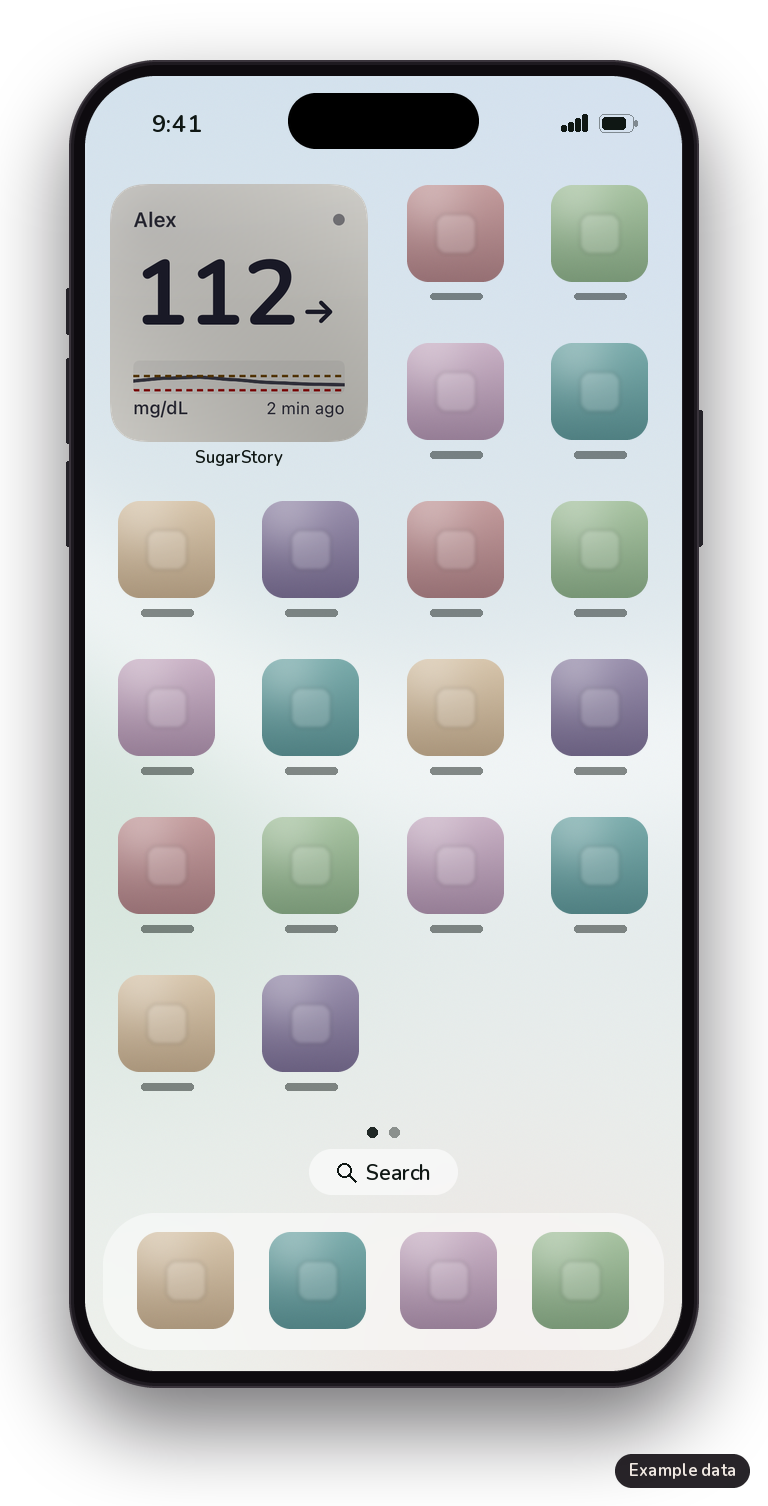
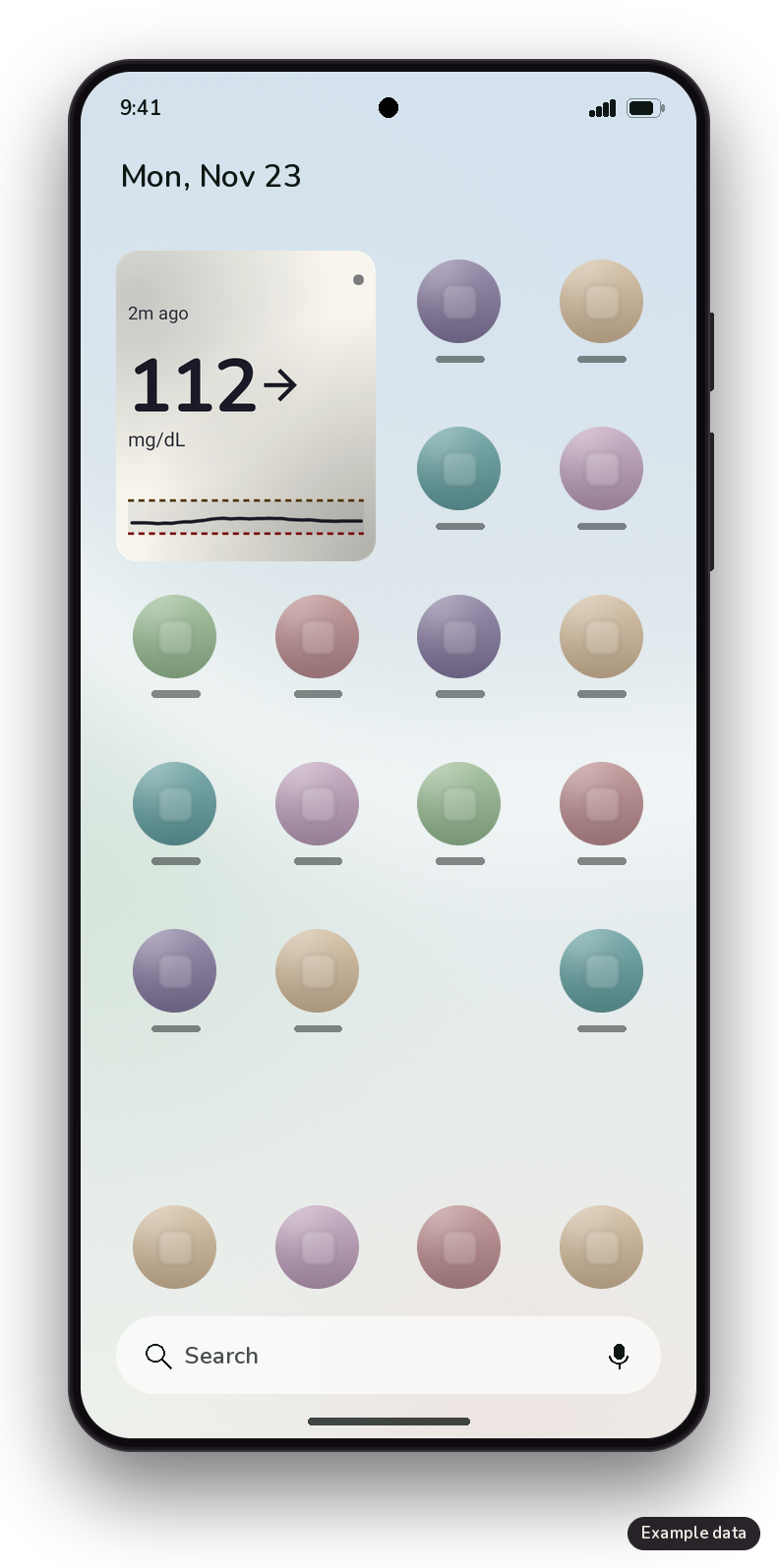
Medium size
Classic and Pill widgets
Example data · sample person “Alex” · standard size follows your device’s light or dark setting
Widgets
The color tells you first.
Every widget changes with the reading: Urgent Low, Low, In range, High and optional Urgent High each have their own color, at thresholds you choose. When a reading isn’t current, the widget says how old it is.


Lock Screen & Dynamic Island
There before you unlock.
On iPhone, SugarStory’s lock-screen widgets and Live Activity keep the latest reading on the Lock Screen and in the Dynamic Island, where an alert shows in its own color.


Alerts
Alerts that get noticed.
Urgent Low, Low and High alerts, plus an optional Urgent High, each at thresholds you set. On Android, snooze for 30 or 60 minutes right from the notification. Snooze only quiets alerts; it never hides a reading.
SugarStory’s alerts add to the official Dexcom Follow or LibreLinkUp alerts. Keep those on.
Android Screen Saver
A bedside display.
While your Android phone charges, its screen saver can show the clock and the latest reading in large, dim type. During an alert, the reading takes on the alert color.


The app
Everything behind the widget.
Open SugarStory for the full picture: the current reading and trend, the last 24 hours, time in range, and Insights with trends over hours and days, all worked out on your phone. Follow more than one person, each with their own name, thresholds, alerts and widgets.
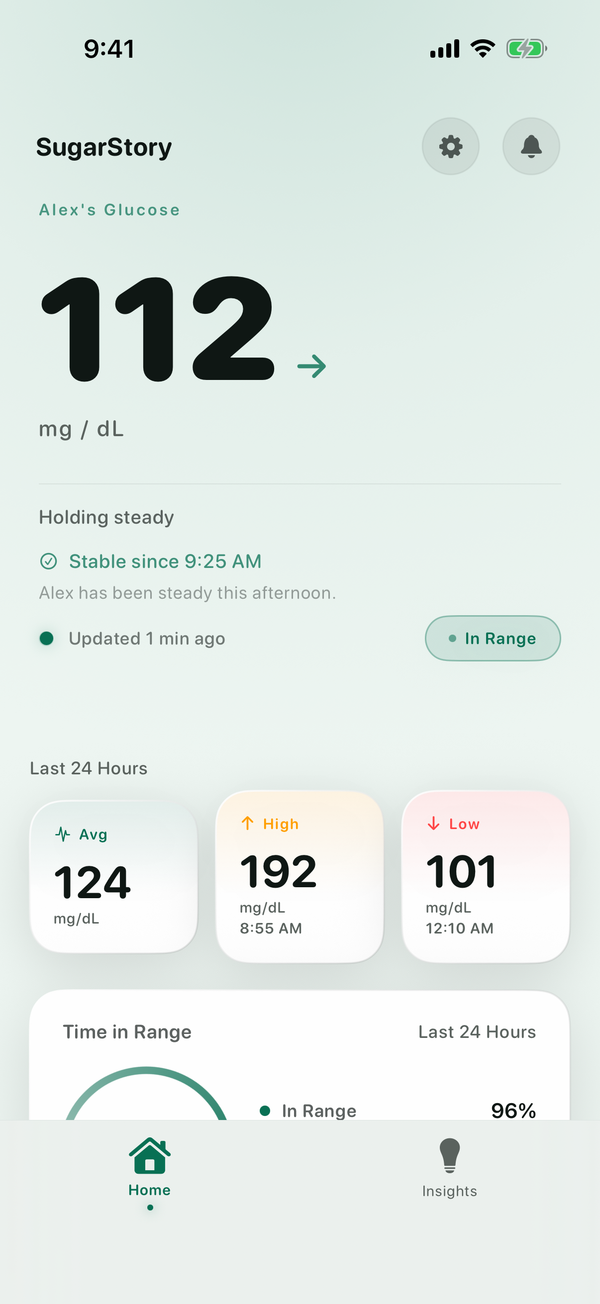
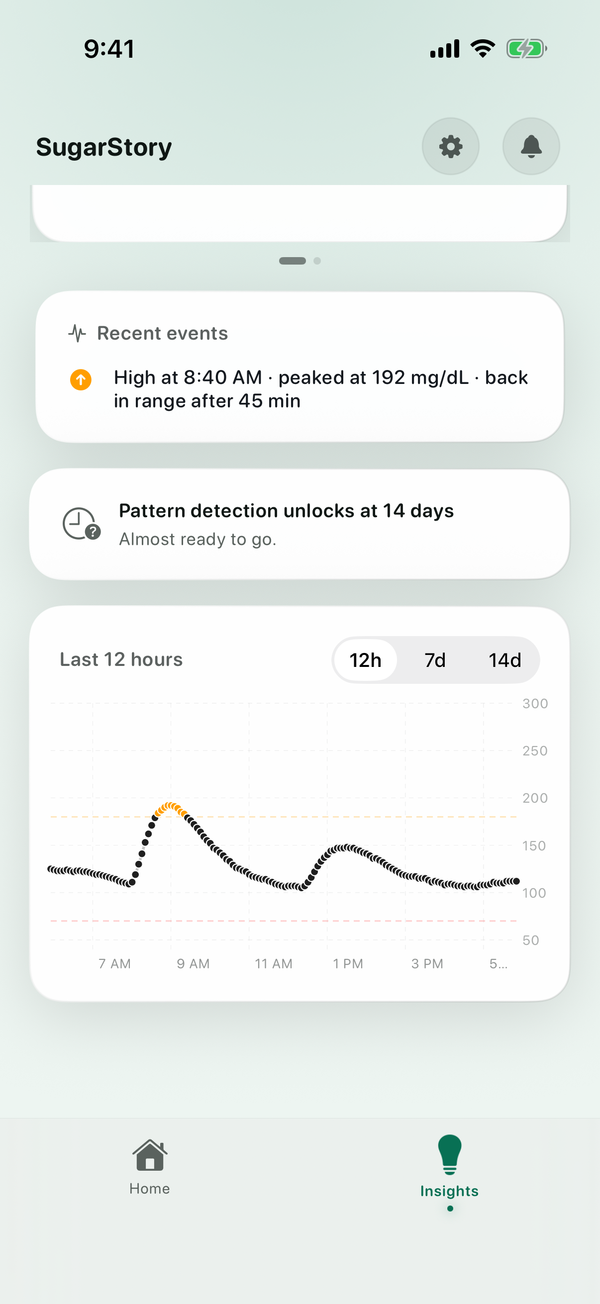
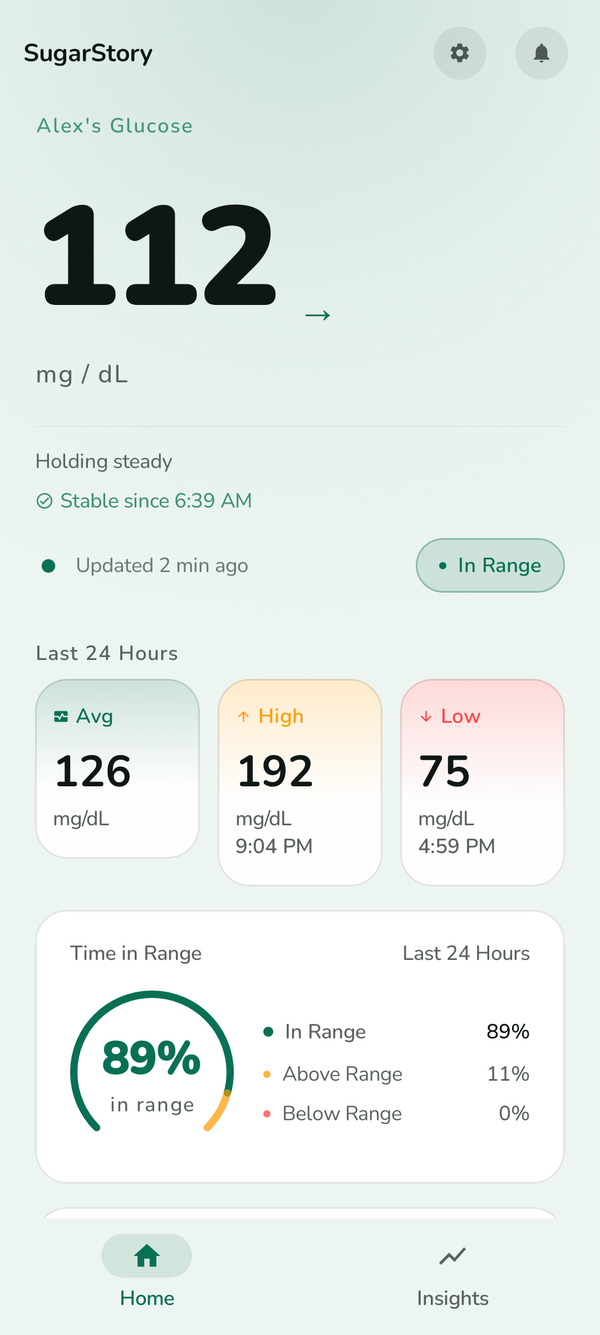
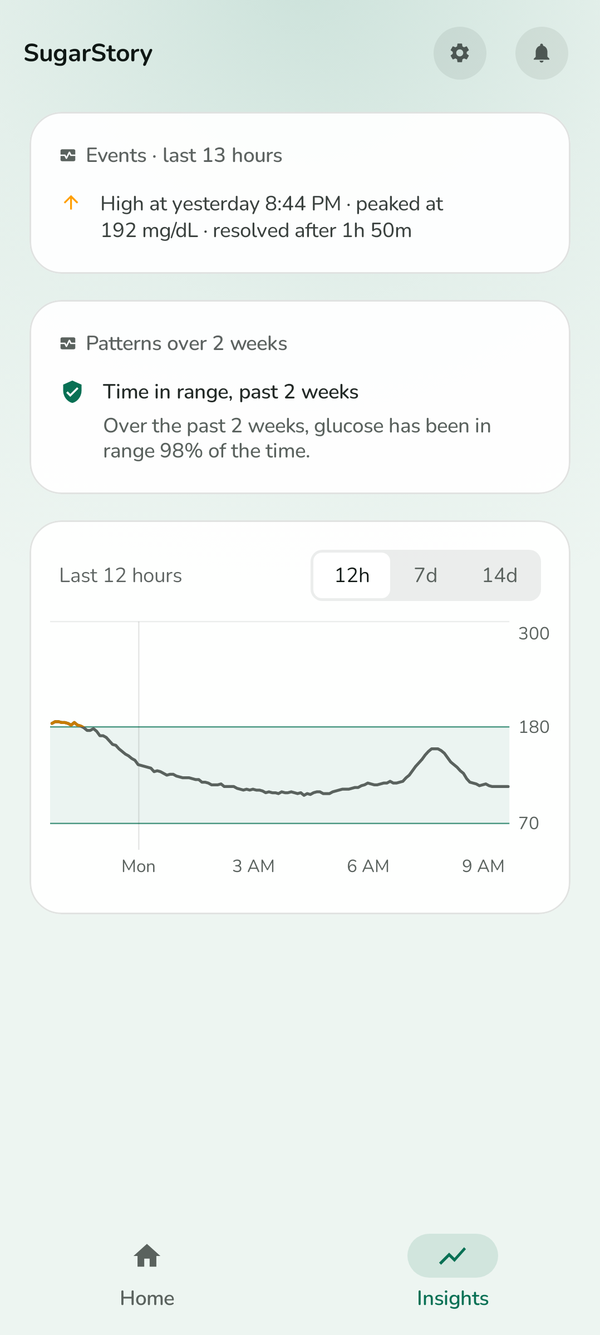
Example data · sample person “Alex” · light or dark follows your device setting
- Honest graphs. Gaps over 20 minutes break the line instead of bridging it.
- More than one person. Readings, names and widgets stay with the right person.
- mg/dL, always. One unit everywhere.
Privacy first
Your data stays on your phone.
SugarStory runs no servers of its own. Readings travel between your phone and Dexcom or Abbott, and nowhere else.
No accounts. No servers.
There is nothing to sign up for. Because we run no servers, your readings never pass through us and we never see them.
Passwords stay locked.
Your Dexcom or LibreLinkUp password is encrypted by your phone’s secure storage (Android Keystore or iOS Keychain) and sent only to Dexcom or Abbott.
No ads. No tracking.
No analytics, advertising or crash-reporting tools are built in, and we never sell data.
Safety
Safety
Before acting on a reading, check blood glucose with a meter.
- SugarStory is not a medical device and is not for treatment decisions or dosing.
- Keep the official Dexcom Follow or LibreLinkUp app installed, with its alerts on.
- Readings come from Dexcom’s and Abbott’s servers and can be delayed, missing or wrong.
- In an emergency, call 911 or your local emergency number.

Coming soon.
SugarStory is in final testing. It will be a one-time purchase on the App Store and Google Play.
- Coming soonApp Store
- Coming soonGoogle Play